
eMMC vs SSD: What’s the Difference and Which One Should You Choose?
eMMC (embedded MultiMediaCard) and SSD (Solid State Drive) are both types of flash memory-based storage devices used for data storage in various electronic devices. eMMC is a type of NAND flash memory commonly found in mobile devices and low-cost laptops, offering a compact and cost-effective storage solution. SSDs, on the other hand, are more advanced storage devices that utilize NAND flash memory to provide significantly faster performance, higher storage capacities, and greater durability.
The main benefits of using eMMC include its small size, low power consumption, and relatively low cost, making it ideal for portable devices where space and battery life are crucial. SSDs excel in performance, offering faster read and write speeds, which translate to quicker boot times, faster application loading, and improved overall system responsiveness.
eMMC is commonly used in smartphones, tablets, Chromebooks, and other mobile devices, as well as in some embedded systems. SSDs are typically found in laptops, desktops, gaming consoles, and servers, where speed and storage capacity are essential.
The main components of eMMC include a flash memory chip, a controller, and an interface, all integrated into a single package. SSDs consist of NAND flash memory chips, a sophisticated controller that manages data storage and retrieval, and an interface such as SATA, NVMe, or PCIe for communication with the host system. Understanding the key differences between eMMC and SSD is crucial for making informed decisions about the right storage solution for specific needs and applications.
eMMC and SSD: What Are Their Differences?
Both eMMC and SSDs are storage devices that use NAND flash memory for data storage, providing non-volatile memory solutions that retain data even when power is off. The key differences lie in their performance, interface, capacity, cost, and typical applications.
What is Solid-State Drive (SSD)
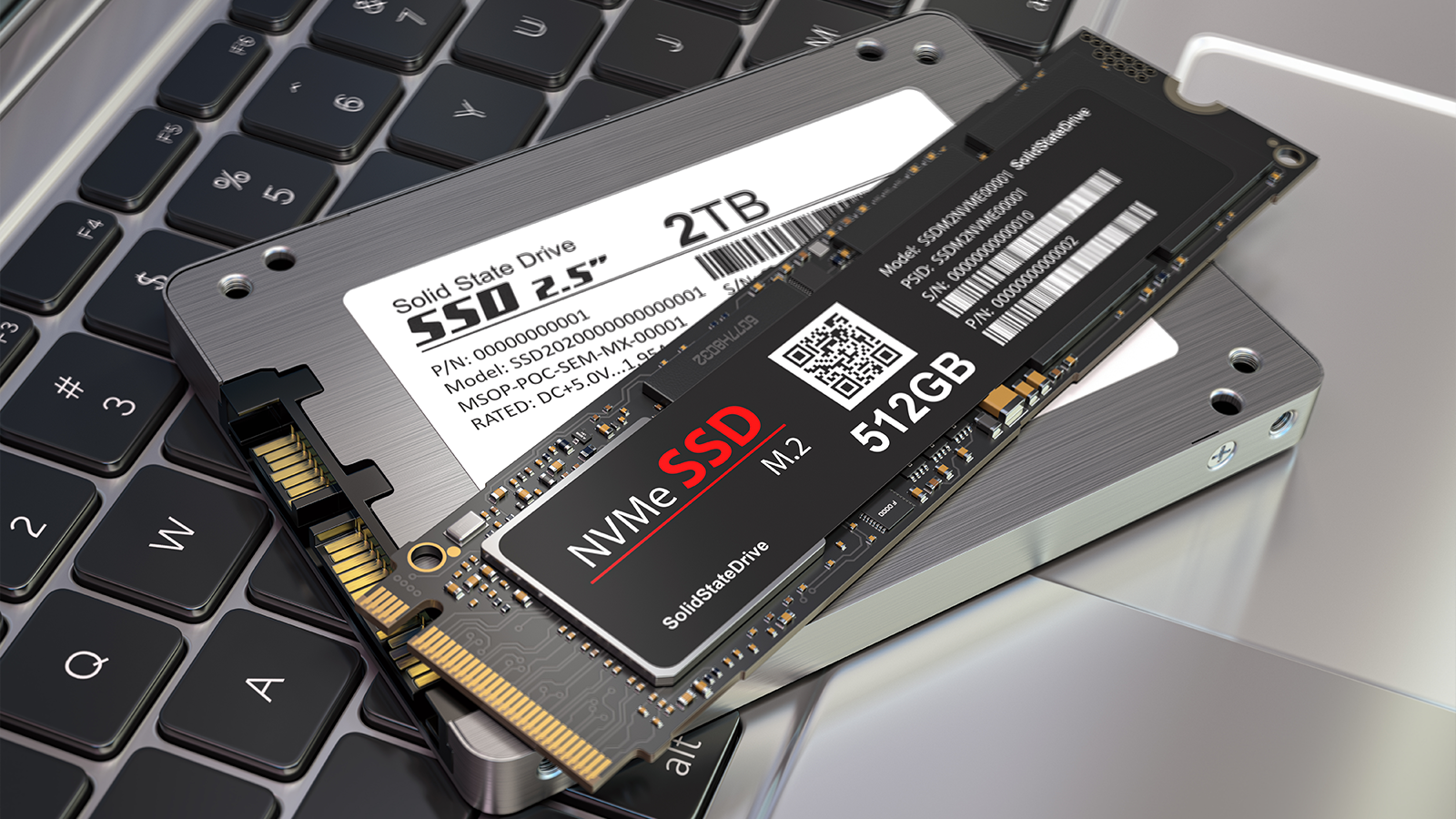
A Solid State Drive (SSD) is a high-performance storage device that uses NAND flash memory to store data. SSDs are designed to replace traditional Hard Disk Drives (HDDs) and offer significantly faster read and write speeds, lower latency, and greater durability due to the absence of moving parts. SSDs connect to a computer via interfaces like SATA, NVMe (Non-Volatile Memory Express), or PCIe (Peripheral Component Interconnect Express). The SSD controller manages data storage and retrieval, employing techniques like wear leveling and the Trim command to optimize performance and lifespan.
What was eMMC storage?
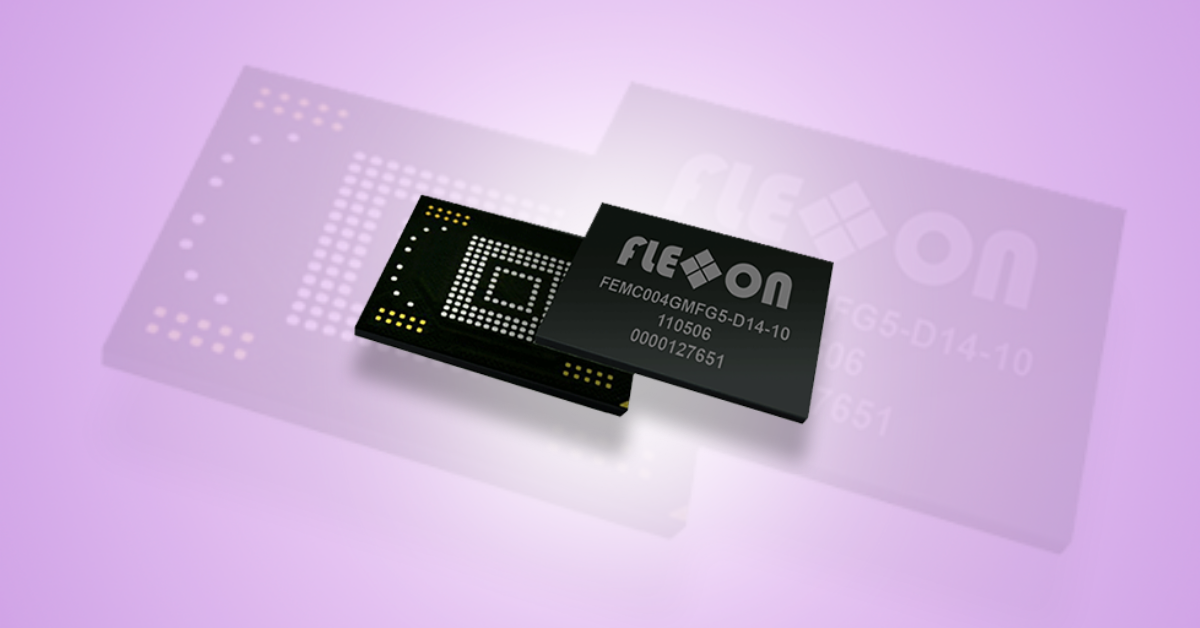
eMMC (embedded MultiMediaCard) storage was a type of flash memory commonly used in mobile devices, entry-level laptops, and other embedded systems. It integrates the flash memory, controller, and interface into a single package, making it a compact and cost-effective storage solution.
Where is eMMC storage typically used vs SSD?
eMMC storage is typically used in devices where cost and size are critical factors, such as smartphones, tablets, Chromebooks, and some low-end laptops. SSD storage is favored in devices where performance and storage capacity are prioritized, including laptops, desktops, gaming consoles, and servers. eMMC is soldered directly to the motherboard, while SSDs connect via interfaces like SATA or PCIe, allowing for easier upgrades and replacements.
How fast was eMMC storage?
eMMC storage offers read and write speeds that are significantly faster than traditional Hard Disk Drives (HDDs) but slower than SSDs. Typical eMMC read speeds range from 100-300 MB/s, while write speeds range from 50-150 MB/s.
Is eMMC faster than a traditional hard drive but slower than an SSD?
Yes, eMMC is faster than a traditional hard drive (HDD) but slower than an SSD. HDDs rely on spinning disks and mechanical parts, resulting in slower access times and lower data transfer rates. eMMC uses flash memory, which offers faster read and write speeds compared to HDDs. However, SSDs utilize more advanced controllers and interfaces like SATA or NVMe, providing significantly higher performance than eMMC.
How big did eMMC storage get?
eMMC storage capacities typically range from 8GB to 256GB, with the most common sizes being 32GB, 64GB, and 128GB. While larger eMMC capacities exist, they are less common due to cost considerations and the availability of faster and more capacious SSDs.
Common Applications for eMMC and SSD Storage
eMMC and SSD storage solutions are used in a wide range of applications, each suited to their respective strengths.
eMMC Use Cases
eMMC (embedded MultiMediaCard) is often used in devices where cost, size, and power consumption are critical. Common eMMC use cases include:
- Smartphones and Tablets: eMMC provides sufficient storage for operating systems, applications, and user data in mobile devices.
- Chromebooks: Many entry-level Chromebooks use eMMC storage to keep costs down while providing adequate performance for web browsing and basic productivity tasks.
- Embedded Systems: eMMC is used in various embedded systems, such as GPS devices, digital cameras, and portable gaming consoles, due to its compact size and low power requirements.
SSD Use Cases
SSDs (Solid State Drives) are favored in applications that demand high performance, large storage capacities, and durability. Common SSD use cases include:
- Laptops and Desktops: SSDs significantly improve boot times, application loading speeds, and overall system responsiveness in laptops and desktops.
- Gaming Consoles: SSDs enhance game loading times and improve the gaming experience on consoles like PlayStation and Xbox.
- Servers and Data Centers: SSDs provide fast and reliable storage for servers and data centers, improving data access times and overall system performance.
- High-Performance Computing: SSDs are used in high-performance computing environments where fast data access is critical for simulations, data analysis, and other demanding tasks.
Advantages and Disadvantages of eMMC vs. SSD
Both eMMC and SSD have their own set of advantages and disadvantages, making them suitable for different applications and use cases.
Advantages and Disadvantages of eMMC Storage
Advantages of eMMC Storage:
- Low Cost: eMMC is generally cheaper than SSD, making it an attractive option for budget-conscious devices.
- Small Size: eMMC’s compact form factor makes it ideal for small and portable devices.
- Low Power Consumption: eMMC consumes less power than SSD, which can extend battery life in mobile devices.
- Integrated Solution: eMMC integrates the flash memory, controller, and interface into a single package, simplifying the design and manufacturing process.
Disadvantages of eMMC Storage:
- Slower Performance: eMMC offers slower read and write speeds compared to SSD, which can impact overall system performance.
- Limited Capacity: eMMC capacities are typically smaller than SSDs, which may not be sufficient for users who require large storage space.
- Lower Durability: eMMC has a lower endurance rating than SSD, meaning it can withstand fewer write cycles before failing.
Advantages and Disadvantages of SSD Storage
Advantages of SSD Storage:
- High Performance: SSDs offer significantly faster read and write speeds compared to eMMC, resulting in quicker boot times, faster application loading, and improved overall system responsiveness.
- Large Capacity: SSDs are available in a wide range of capacities, from 128GB to several terabytes, providing ample storage space for users who require it.
- Greater Durability: SSDs have a higher endurance rating than eMMC, making them more resistant to wear and tear.
- Lower Latency: SSDs have lower latency than eMMC, resulting in faster access times and improved performance in demanding applications.
Disadvantages of SSD Storage:
- Higher Cost: SSDs are generally more expensive than eMMC, which can increase the overall cost of a device.
- Larger Size: SSDs are typically larger than eMMC, which may limit their use in small and portable devices.
- Higher Power Consumption: SSDs consume more power than eMMC, which can reduce battery life in mobile devices.
Should you avoid eMMC storage?
Whether you should avoid eMMC storage depends on your specific needs and priorities. If you prioritize cost and size over performance, eMMC may be a suitable option. However, if you require fast read and write speeds, large storage capacity, and greater durability, SSD is the better choice. For basic tasks like web browsing and light productivity, eMMC may suffice, but for demanding applications like gaming, video editing, or data analysis, SSD is highly recommended. Consider your budget, usage patterns, and performance requirements when deciding between eMMC and SSD storage.
Conclusion
In conclusion, eMMC and SSD are both NAND flash memory-based storage devices, each with its own strengths and weaknesses. eMMC offers a cost-effective and compact solution for mobile devices and embedded systems, while SSD provides superior performance, larger storage capacities, and greater durability for laptops, desktops, and servers. The choice between eMMC and SSD depends on the specific application, budget, and performance requirements. Understanding the key differences between these storage technologies is crucial for making informed decisions and selecting the right storage solution for your needs.
FAQ’s
What is the difference between eMMC and SSD?
eMMC (embedded MultiMediaCard) is a type of flash memory commonly used in mobile devices and low-cost laptops, offering a compact and cost-effective storage solution. SSD (Solid State Drive) is a more advanced storage device that utilizes NAND flash memory to provide significantly faster performance, higher storage capacities, and greater durability.
Is eMMC slower than SSD?
Yes, eMMC is slower than SSD. SSDs offer significantly faster read and write speeds compared to eMMC due to their more advanced controllers and interfaces.
Is SSD more durable than eMMC?
Yes, SSDs are generally more durable than eMMC. SSDs have a higher endurance rating, meaning they can withstand more write cycles before failing.
What devices use eMMC storage?
eMMC storage is commonly used in smartphones, tablets, Chromebooks, and some low-end laptops.
What devices use SSD storage?
SSD storage is typically found in laptops, desktops, gaming consoles, and servers.